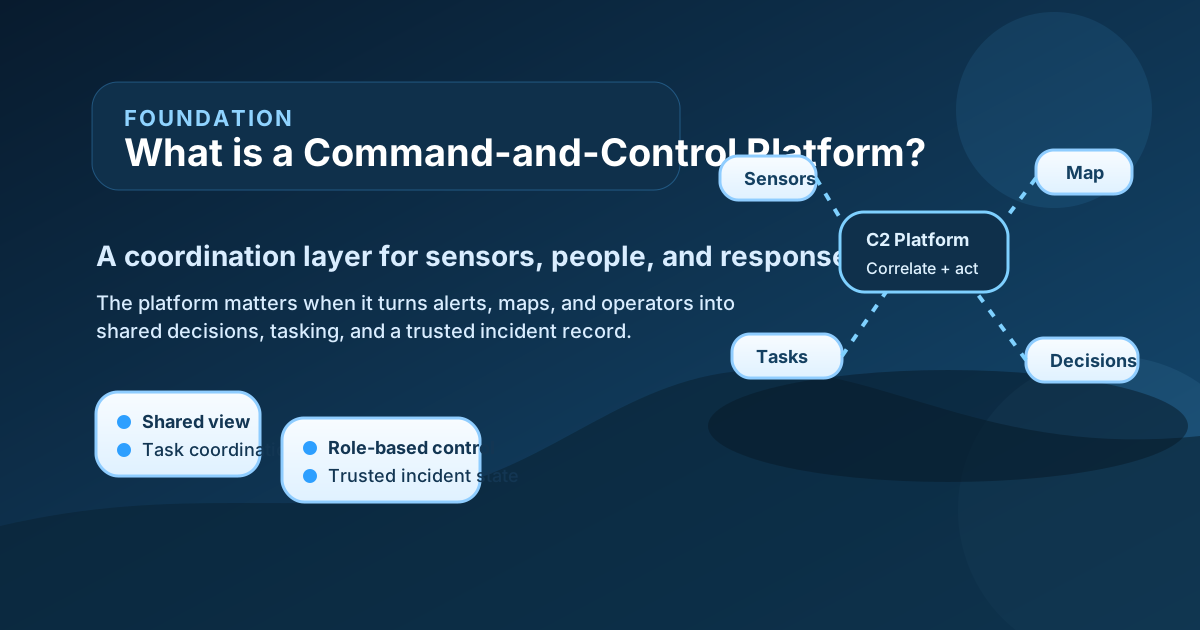
What is a command-and-control platform? In simple terms, it is a system that helps people collect information, understand a situation, make decisions, and coordinate action across multiple teams or assets. Instead of leaving sensors, alarms, maps, notes, and task assignments in separate systems, a command-and-control platform tries to connect them into one operational framework.
That is why the topic matters in security, emergency response, and multi-sensor operations. A team may already have cameras, radar, access control, patrol radios, dispatch tools, and dashboards. But if the people using those tools still cannot move smoothly from alert to shared understanding to action, then the operation remains fragmented. A command-and-control platform exists to reduce that fragmentation.
Official emergency-management doctrine helps explain the concept even outside classic public-safety settings. FEMA’s NIMS command-and-coordination guidance says command and coordination is not just the Incident Command System itself. It includes systems, principles, and structures for incident support, information gathering, analysis and sharing, policy guidance, and communication across different levels of incident management. DHS describes its own Common Operating Picture and National Operations Center in similar operational language, emphasizing information fusion, centralized incident systems, real-time visualization, and decision support. These are useful references because they show that command-and-control is fundamentally about organized coordination, not just display technology.
So the short answer is this: a command-and-control platform is the digital and workflow layer that helps teams turn many inputs into coordinated decisions and actions. The practical question is whether the platform actually reduces confusion and improves response, rather than just showing more data.
What a Command-and-Control Platform Actually Means
Beginners often picture a command-and-control platform as one large screen with many widgets. That picture is incomplete.
A real command-and-control platform usually includes several functions at once:
- ingesting information from multiple systems,
- organizing or normalizing that information,
- presenting it in role-appropriate views,
- supporting task assignment or escalation,
- recording status changes,
- and helping leaders or operators coordinate a response.
That is why it is broader than a single video-management screen or alarm list. A video system may show camera feeds well. A radar console may show tracks well. An access-control system may show door events well. A command-and-control platform matters when the operation needs those pieces to interact.
FEMA’s NIMS command-and-coordination description is especially useful here because it breaks the problem into tactical action, incident support, policy guidance, and communication. That reminds the beginner that command-and-control is not only about what happens on a screen. It is about how information and decisions move between field responders, operations centers, supervisors, and leadership.
For a security site, this means a command-and-control platform may need to bring together:
- sensor alarms,
- map context,
- camera verification,
- patrol status,
- restricted-zone overlays,
- communications notes,
- and incident-task history.
The important point is not the software label. The important point is whether the system helps different people act from the same operational picture.
How a Command-and-Control Platform Works
At a practical level, a command-and-control platform usually works in layers.
First, it ingests inputs. These may come from cameras, radars, RF systems, access control, analytics, weather feeds, external airspace data, operator notes, or dispatch tools.
Second, it aligns those inputs. One system may report an event as an alarm. Another may report it as a track. Another may describe the same area with different coordinates or naming. The platform needs some way to reconcile these differences or at least present them coherently.
Third, it adds context. A useful platform does not show only raw events. It ties them to maps, zones, cameras, asset positions, authorization records, or SOP logic so the operator can understand what the event means.
Fourth, it supports action. This is where the platform becomes more than a dashboard. It may:
- assign tasks,
- escalate events,
- route a cue to another sensor,
- update incident status,
- or record who has taken responsibility.
Fifth, it maintains a shared record. Command-and-control is not only about the first alert. It is also about how the team tracks progress, updates decisions, and hands off information across roles or shifts.

Figure: Synthesized explainer showing how a command-and-control platform turns sensor inputs and reports into shared context, tasking, and decision support.
This is why command-and-control platforms are so closely related to common operating pictures. The shared picture is part of the platform’s value, but the platform goes further by helping manage action and coordination around that picture.
How It Is Different from a Dashboard or Single-System Console
This distinction is one of the most important for beginners.
A dashboard usually emphasizes display. It may summarize metrics, alarms, maps, or status indicators. That can be useful, but a dashboard alone does not guarantee coordinated action.
A single-system console usually emphasizes one device family or one subsystem. It may be very good at controlling cameras, radars, doors, or dispatch records, but still weak at cross-system coordination.
A command-and-control platform should be broader than both. It should help different information sources and different human roles work together.
This does not mean every platform needs extreme complexity. In smaller sites, the command-and-control layer may be relatively simple. But if the operation relies on multiple systems, multiple teams, or multiple decision levels, then the gap between “a dashboard” and “a real coordination platform” becomes important.
DHS COP material reinforces this by describing a centralized incident management system that replicates data into a geospatial platform so it can be fused with external feeds and visualized in real time for decision support. The beginner lesson is clear: command-and-control is not only about seeing data. It is about shaping data into shared decisions.
Why Command-and-Control Platforms Matter in Security
In many security environments, the problem is no longer lack of sensing. The problem is response coordination.
Consider a site with:
- radar alerts,
- camera feeds,
- access-control alarms,
- patrol teams,
- and an operations room.
If those systems stay disconnected, the team may still detect many things, but the response can become slow, duplicated, or confused. One operator may verify an event while another opens a separate record. A supervisor may not know whether patrol has been dispatched. A new alarm may be treated as unrelated even when it is part of the same incident.
A command-and-control platform helps reduce this fragmentation by providing:
- one place to correlate the event,
- one place to view its context,
- one place to assign or track response,
- and one place to keep incident status aligned.
That is why the platform becomes more important as the site grows in complexity. Multi-sensor operations, low-altitude monitoring, border security, ports, campuses, and critical infrastructure all benefit when detection and response are connected rather than isolated.
What Makes a Command-and-Control Platform Useful
Several recurring qualities determine whether a platform is genuinely useful.
Shared Data Foundation
If the platform cannot reliably unify information from different systems, users will stop trusting it and fall back to local tools.
Role-Based Views
Operators, supervisors, dispatchers, and leadership often need different levels of detail. A useful platform supports that without breaking the shared operational truth.
Workflow Support
A command-and-control platform should help people do something, not just see something. Tasking, escalation, acknowledgment, and status updates matter.
Clear Incident State
One of the biggest coordination failures is disagreement about whether an event is new, active, verified, dispatched, or resolved. Good platforms make status explicit.
Human Override and Judgment
Automation can help, but command-and-control platforms must still support human judgment, handoff, and override. Operations are not improved if the system forces confusing automation instead of supporting decisions.
Trust, Audit, and History
The platform becomes more valuable when it records what happened, who acted, and what changed. That history supports after-action review, accountability, and continuous improvement.

Figure: Synthesized factor map showing why command-and-control usefulness depends on shared data, role views, workflow support, clear incident state, human judgment, and trusted history.
Beginners should notice that none of these qualities depend only on attractive UI design. They depend on whether the platform actually supports coordination under pressure.
Why Platforms Fail
Command-and-control platforms can fail even when they appear technically impressive.
Common failure patterns include:
- too much display clutter,
- weak integration between systems,
- poor status discipline,
- duplicated incident records,
- unclear ownership,
- and role views that do not match real workflows.
Another common problem is trying to use a command-and-control platform as if it were only a reporting screen. If users still manage tasks by phone, private notes, or separate spreadsheets because the platform is slow or confusing, then the coordination layer is weak no matter how many integrations it claims.
This is why FEMA’s emphasis on command, coordination, and information sharing remains useful even in digital security contexts. The platform must support people and structures, not replace them with screen complexity.
Common Mistakes
Several misunderstandings show up repeatedly.
“A big dashboard is a command-and-control platform”
No. Display alone is not command-and-control. Action support and coordination matter too.
“If all sensors are integrated, the problem is solved”
No. The platform also needs workflow, status management, and role clarity.
“Command-and-control means full automation”
No. Strong platforms often combine automation with human oversight, not replace people entirely.
“A command platform is only for national or military operations”
No. The same coordination logic matters in sites, campuses, utilities, ports, and low-altitude monitoring systems.
“The interface matters more than the operational model”
No. The best-looking platform can still fail if the data, roles, and workflow model are weak.
What This Means in Practice
For a beginner, the best mental model is this: a command-and-control platform is the operating layer that helps many systems and many people work as one team.
If you are evaluating a platform, useful questions include:
- what sources it can ingest,
- how it correlates or organizes those inputs,
- what actions users can take directly inside it,
- how incident status is managed,
- how role-specific views are handled,
- and whether the platform improves handoff and accountability.
These questions are usually more useful than asking only how many widgets or data feeds the platform can display.
This also explains why command-and-control platforms are so important in sensor-rich environments. Cameras, radars, RF tools, and analytics create value when they are coordinated into shared response. Without that layer, many technically good systems remain operationally fragmented.
Conclusion
A command-and-control platform is a coordination system that helps teams turn many inputs into shared understanding, decisions, and action. It is broader than a dashboard and more operationally important than a single-system console because it connects sensing, workflow, escalation, and history across roles.
The key takeaway is that good command-and-control is about reducing confusion. If the platform helps people understand the same event, assign the right response, track status clearly, and keep a trusted record, then it is doing the real work of command-and-control.